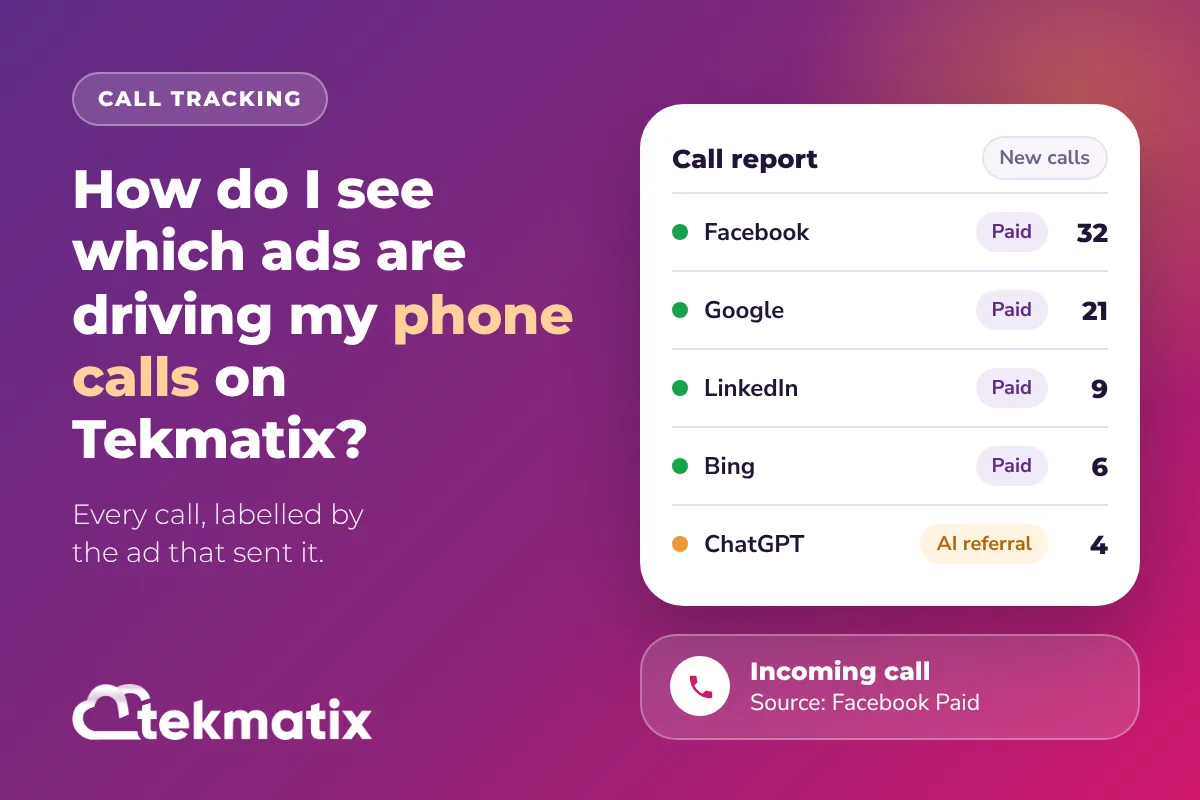
How do I see which ads are driving my phone calls on Tekmatix?
You're paying for ads on Facebook, Google, maybe LinkedIn or TikTok too. People see the ad, land on your website, and pick up the phone. So which ad actually made them call?
Until recently, a lot of those calls landed in your reports as just "Facebook" or "Direct". Now Tekmatix call tracking labels them by the ad platform that sent them, so you can see where your calls are really coming from.
Set up a number pool in Settings, then Phone Numbers, then Add Number, then Add Number Pool, and paste its tracking snippet into your website or funnel. Calls from paid ads now show the ad platform in your call reports, such as Facebook Paid or Bing Paid. If you already have a number pool, there's nothing to set up. The improved labels apply to new calls automatically.
What's changed with call tracking
A number pool is a small group of tracking phone numbers. When someone lands on your website, Tekmatix swaps your normal phone number for one of the pool numbers. When they call it, the call is matched back to where that visitor came from.
The tracking has now been improved so ad calls are labelled properly:
- Facebook ad calls show as "Facebook Paid". Before, many of them showed as "Facebook" or "Direct", which made it hard to tell your ads apart from everything else.
- Other ad platforms are covered too. Calls from TikTok, LinkedIn and Microsoft (Bing) ads, and Google ads clicked inside apps, are now labelled by platform.
- Tagged links are recognised. If your ad link uses
utm_medium=cpc, the source shows as the platform plus "Paid", for example "Bing Paid". - AI referrals get their own source. Visits that come from ChatGPT and similar AI tools now show up as their own source, so you can see when AI search is sending you callers.
Why this matters for your business
Your ad budget stops being a guessing game. When every call is labelled by the platform that sent it, you can see which ads make the phone ring and which ones just collect clicks.
You can move money to what works. If LinkedIn brings in three calls a week and Facebook brings in thirty, that's a decision you can make with real numbers.
You stop losing credit for calls. Calls that used to disappear into "Direct" now get attributed to the ad that earned them, so your results look like what's actually happening.
You get an early look at AI search. More people are finding businesses through ChatGPT and similar tools. Now you can see when those visitors pick up the phone.
Before you start
- A website or funnel built in Tekmatix where your phone number is shown.
- Ads (or other traffic) that send people to that website or funnel.
- Your main business phone number to forward calls to. This needs to be an outside number, not a phone number from your Tekmatix account, otherwise the calls loop.
Which Tekmatix plan do you need?
Number pools are set up from your phone settings, and the phone numbers in a pool are billed on a pay as you go basis, the same as any other phone number in your account. Each pool needs a minimum of four numbers, so you'll be charged for each of those. You can see current usage pricing at tekmatix.com/rebilling.
If you want the advanced reporting on ads, calls and lead sources, that's included on the Pro and Max plans. Compare every plan at tekmatix.com/pricing, or change your plan here.
How to set up a number pool for call tracking
- Open your phone number settingsGo to Settings, then click Phone Numbers.
- Add a number poolClick the + Add Number dropdown on the right side of the page and choose Add Number Pool.
- Choose Visitors ActivitySelect Visitors Activity, since this pool is for call tracking. Then choose which visitors to track. All visitors is the recommended option. If you choose PPC search instead, the number only swaps for visitors who arrive from a paid ad. Click Next: Create Pool.
- Name the pool and set its sizeGive your tracking number a clear name, like "Facebook ads landing page". Set the Pool Size. The minimum is four numbers, and the busier your website, the more numbers you'll need.
- Set your forwarding and swapping numbersThe Forwarding Number is where calls ring, usually your main business line. The Swapping Number is the number already shown on your website that Tekmatix will replace. It can be the same as your forwarding number, or untick the box to enter a different one. Tick the box to confirm you're adding the new numbers, then click Next: Choose Numbers.
- Pick your tracking numbersChoose local numbers near your forwarding number's area code, toll-free numbers, or numbers from any area code you type in. Then click Next: Number Features.
- Add a whisper message and call recordingA Whisper Message plays to you, not the caller, when you answer. Something like "Call from [Source]" tells you where the call came from before you say hello. You can also switch on Call Recording and set the message the caller hears.
- Activate itClick Activate Number. Your pool is live.
How to add the tracking snippet to your website or funnel
- Copy the snippetIn Number Pools, click the three dots next to your pool, choose Number Pool Info, and copy the Normal Snippet Code.
- Open your siteGo to Sites, click Funnels or Websites, and open the one where your phone number appears.
- Paste it into SettingsClick the Settings tab and paste the snippet at the bottom of the Body Tracking code field. Click Save. The number now swaps across that whole funnel or website.
- Only want it on one page? (optional)Open that page in the builder, click the Tracking Code icon at the top left, choose Footer Tracking, paste the snippet and save.
Match your phone number formats. If you have a "Call us" button, the number inside the link must be written exactly the same way as the number on the page, for example <a href="tel:(02) 6193 4089">Call Us</a>. Local and international formats, such as (02) 6193 4089 and +61261934089, are treated as different numbers, so mixing them can stop the button from swapping.
Where to see which ad drove the call
Open Reporting, then Call Report. Your calls now show the improved source, such as Facebook Paid, LinkedIn Paid or Bing Paid. The same source shows in each call's details.
Scroll right and click the down arrow on a call to see the page the caller was visiting. Click the contact's name to see everything else they've done.
| Where the caller came from | What you'll see |
|---|---|
| A Facebook ad | Facebook Paid |
| A TikTok, LinkedIn or Microsoft (Bing) ad | The platform name, labelled as paid |
| A Google ad clicked inside an app | Labelled by platform |
| Any ad link tagged with utm_medium=cpc | The platform plus "Paid", such as Bing Paid |
| ChatGPT or a similar AI tool | Its own AI referral source |
| A visitor whose browser hides where they came from, with no ad tracking code on the link | Still shows as Direct |
A few things to know
- Nothing to set up. If you already use a number pool, your tracking script updates on its own.
- New calls only. Past calls keep the source they already had.
- Some calls will still say Direct. That happens when a visitor's browser hides where they came from and the link has no ad tracking code. Tagging your ad links with UTM parameters helps here.
- The first match wins. If a link carries several ad tracking codes, Google is checked first, then Facebook, TikTok and LinkedIn.
- Calls go to your forwarding number. Calls to a number pool ring the forwarding number you set, not the web or mobile app.
Test it before you spend another dollar on ads.
Open an incognito browser window and visit your landing page. You should see one of your pool numbers instead of your usual number. If you chose the All Except Direct tracking option, type-in visits won't swap, so put a link to your landing page on another web page and click through to it instead. Then call the number from your mobile and check the call appears in your Call Report with the right source.
Five ways to actually use this
- Compare your ad platforms on calls, not clicks. At the end of each month, filter your Call Report by source and count the calls from each ad platform. Clicks are cheap. Calls are the ones that turn into customers.
- Give each campaign its own pool. Running two different ads to two different landing pages? Set up a pool for each and use a Group ID (edit the pool, then Add/Edit Group Id) so each ad shows its own number. Now you can compare the campaigns head to head.
- Answer every call already knowing where it came from. Set your whisper message to "Call from [Source]". When you pick up and hear "Facebook Paid", you know they've just seen your offer, and you can open the conversation with it.
- Track your Google keywords. Add
?keyword={keyword}to the end of your Google Ads landing page URL, for exampleyourwebsite.com/landingpage/?keyword={keyword}. The keyword they searched shows in the Keyword column of your Call Report. - Watch for AI search callers. AI referrals now have their own source. Keep an eye on how many calls come from people who found you through ChatGPT and similar tools, and make sure your website and blog answer the questions your customers are asking.
Want it done for you?
Call tracking only works if the page your ads send people to is built to turn visitors into callers and buyers. If you'd rather hand that over, our Teksperts can build it straight into your Tekmatix account.
Sales Funnel System
A three-step funnel (landing or sales page, checkout and thank-you page) built in your branding, plus a purchase confirmation workflow and an abandoned cart recovery workflow. It's the page your ads point to, built properly from day one, so the money you spend on ads lands somewhere that's set up to sell. It's yours to edit and clone for every offer after it.
See the Sales Funnel SystemAppointment Booking System
Not every ad visitor wants to call. This package gives them a way to book instead: three branded calendars, two-way calendar sync, payment before paid bookings are confirmed, and confirmation and reminder messages 24 hours, 1 hour and 10 minutes before each call to help cut no-shows. Fewer leads slip through, and fewer appointments get missed.
See the Appointment Booking SystemAI Chat Bot, Chat Widget and AI Auto-Responder
For the people who'd rather message than call. A branded AI assistant trained on your business answers enquiries around the clock on your website chat, Facebook, Instagram and Google Business Profile, books appointments, and includes Missed Call Text Back so a call you can't answer still gets a reply. That means ad leads get looked after even when you're busy or offline.
See the AI Chat Bot packageSee every done-for-you package at tekmatix.com/services.
Frequently asked questions
Do I need to change anything to get the new ad labels?
No. If you already have a number pool running, your tracking script updates on its own. The new labels apply to new calls from now on.
Will my old calls be relabelled?
No. Past calls keep the source they already had. Only new calls get the improved labels.
Why do some calls still show as Direct?
Some browsers hide where a visitor came from. If the link they clicked also has no ad tracking code, there's nothing to read, so the call shows as Direct. Adding UTM parameters to your ad links, including utm_medium=cpc, gives the tracking something to work with.
Which ad platforms are recognised?
Facebook, Google (including Google ads clicked inside apps), TikTok, LinkedIn and Microsoft (Bing). Any ad link tagged with utm_medium=cpc shows as the platform plus "Paid".
What happens if a link has more than one ad tracking code?
The first match wins. Google is checked first, then Facebook, TikTok and LinkedIn.
Why do I need a number pool to track calls?
A single phone number can't tell you where each caller came from. A number pool swaps in a tracking number for each visitor, so when they call, Tekmatix can match the call back to their visit and the ad or source that brought them in.
Can I use a phone number from my Tekmatix account as the forwarding number?
No. That creates a call loop. Use an outside number, such as your main business line or mobile, as the forwarding number.
Can number pool calls ring in the Tekmatix web or mobile app?
Not at the moment. Calls to a number pool go to the forwarding number you set.
Do I need to be on a particular Tekmatix plan?
Number pools are set up from your phone settings, and the advanced reporting on ads, calls and lead sources is included on the Pro and Max plans. You can compare the plans here and change your plan here.
How much does a number pool cost?
Each number in a pool is billed at the same rate as a standard phone number in your account, plus call usage, on a pay as you go basis. Every pool needs at least four numbers, so bigger pools cost more. Current usage pricing is at tekmatix.com/rebilling.
Need a hand?
Free daily group training
Jump on a free group session with a Tekspert and get your number pool set up live.
Book free trainingHire a Tekspert for 60 minutes
Share your screen and we'll set up your pools, snippets and reporting with you, so you know exactly how it works.
Book a Tekspert15 minute advanced tech support
Got one quick question, like why a number isn't swapping? A focused 15 minutes sorts it out.
Book 15 minutes24/7 live chat
Our team is on live chat around the clock, right inside your Tekmatix account.
Get supportYour ads are already doing the work. Now you can see which ones are making your phone ring, and put your money behind them.
Happy Tekkin'!