How do I get my call summaries and call scores automatically on Tekmatix?
You've just finished a great call. Now comes the part nobody enjoys: writing up the notes, updating the contact, logging the outcome. By the time it's done, the next call is already waiting.
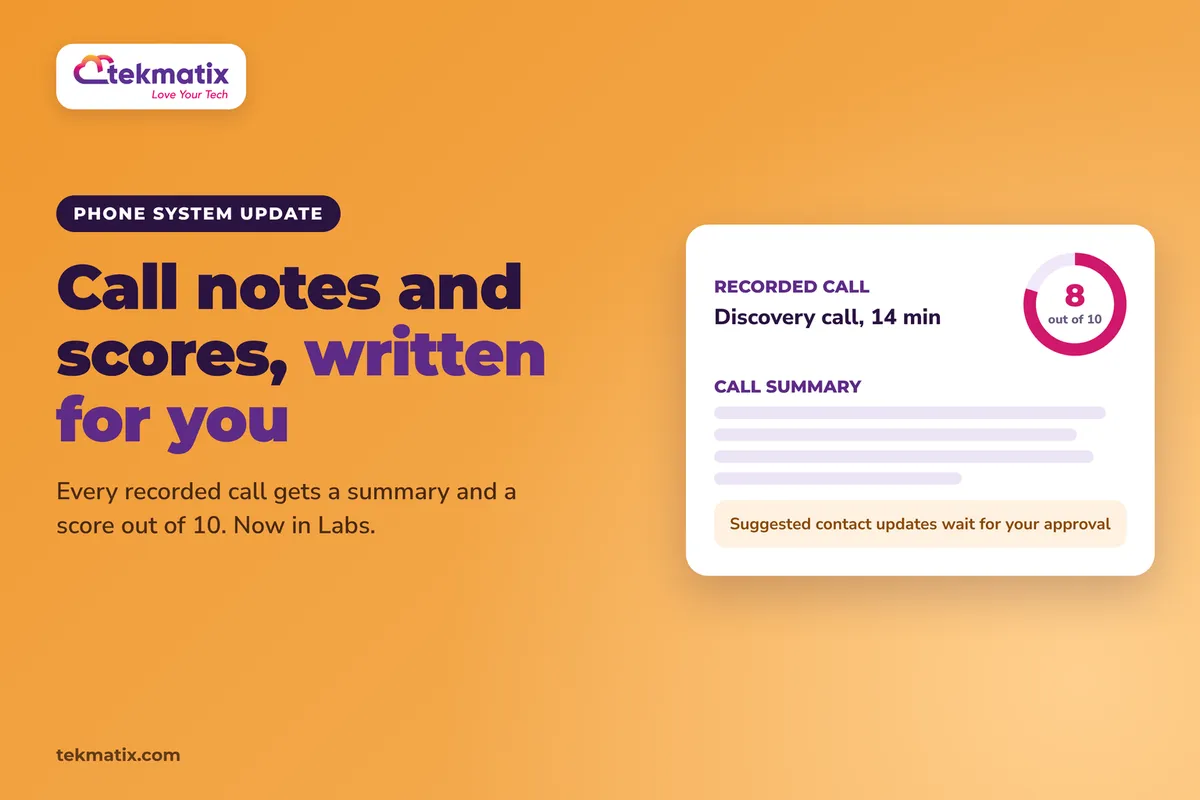
Voice Intelligence takes that admin off your plate. After a recorded call, Tekmatix writes the call summary, scores the call, suggests contact updates and preselects the call outcome. Nothing changes on a contact until you approve it.
Turn on Voice Intelligence in Labs, then go to Settings, then Phone System, then Voice, then Call Recording & Transcription, then Voice Intelligence and switch on the Voice intelligence toggle. Make sure call recording is on. After that, recorded calls made through your Tekmatix phone system get a summary and a score out of 10 automatically.
What Voice Intelligence does
Voice Intelligence looks after the admin that follows a recorded call. Here's what you get after each one:
- Call notes. A summary showing what the contact asked for, the actions you agreed on and the next steps.
- Easy handoffs. A teammate can read the summary before they call the contact back, so nobody starts from scratch.
- Contact updates. Names and emails mentioned on the call are staged for you to review and save.
- Call outcomes. The outcome is preselected from your own disposition list, and you confirm it.
- Coaching. Each call gets a score out of 10 and a tip for how to improve.
Why this matters for your business
Less time on paperwork. The summary is written for you, so you can move straight to the next call instead of typing notes.
Nothing gets forgotten. Requests, promises and next steps are captured from the call itself, not from memory an hour later.
Your team gets better, call by call. A score and a coaching tip on every call means you can spot what's working and help people improve without listening to every recording.
Your contact records stay accurate. Details mentioned on the call are suggested for the contact, and you stay in control because nothing saves until you approve it.
Before you start
- Calls made through your Tekmatix phone system. Voice Intelligence only works on calls using phone numbers from your Tekmatix phone system.
- Call recording switched on. Voice Intelligence only works on recorded calls.
- Your disposition list (the list of call outcomes you use), if you want call outcome suggestions.
- Your call script or the things you want to score, if you want to build your own QA scorecard.
Which Tekmatix plan do you need?
Voice Intelligence is in Labs, which means it's an early access feature that's still being tested and improved. On Tekmatix, Labs is switched on for the Max plan, so you'll need Max to use Voice Intelligence.
Compare every plan at tekmatix.com/pricing, or change your plan here.
How to turn on Voice Intelligence
- Turn it on in LabsSwitch on Voice Intelligence in Labs.
- Open your Voice settingsGo to Settings, then Phone System, then Voice, then Call Recording & Transcription, then Voice Intelligence.
- Switch on the toggleTurn on the Voice intelligence toggle. Make sure call recording is switched on too.
How to set it up for your business
You set these up once, and they apply to all future calls.
- Choose your summary sectionsPick which sections appear in each call summary, such as next steps or objections, and the order they show in.
- Build your QA scorecardAdd, edit or remove scoring categories so the score matches your own call script.
- Choose your field suggestionsPick which contact fields Voice Intelligence can suggest updates for, including your custom fields.
- Check your call outcomesOutcome suggestions only come from your own disposition list, so make sure that list covers the outcomes you use.
- Set the languageChoose the language you want the results in.
A few things to know
- You stay in control. Nothing changes on a contact until someone approves it.
- Every feature can be turned off. If you only want summaries, switch off the rest.
- Changes apply going forward. When you change a setting, it applies to calls made after the change, not to past calls.
- Some calls are skipped. Voicemails and very short calls aren't processed.
- Rate the results. Because it's a Labs feature, you can rate each result with the thumbs icons to help improve it.
Test it before you rely on it.
Make a short real call to your own mobile through your Tekmatix phone system, with recording on. Talk for long enough to cover a request and a next step, and mention an email address. Then open the call record and check the summary, the score, the suggested contact update and the preselected outcome. Approve or edit the suggestions to see how it works.
Five ways to actually use this
- Score calls against your real script. Turn the steps in your sales or intake script into QA scorecard categories. Every call is then measured against the way you actually want calls run.
- Make handoffs painless. Before anyone calls a contact back, ask them to read the last call summary. The contact won't have to repeat themselves.
- Use the coaching tips in team meetings. Once a week, pick a few calls with high and low scores and talk through the tips together.
- Tidy up your disposition list. Since outcomes come from your own list, make sure it reflects what really happens on your calls, like "Booked", "Needs follow-up" or "Not a fit".
- Put objections in your summaries. Add an objections section to the summary. Over time you'll see the questions people raise most, and you can answer them on your website and in your emails.
Want it done for you?
Voice Intelligence helps you after the call. Our Teksperts can also help with what happens before and around it, built straight into your Tekmatix account.
Appointment Booking System
Three branded calendars (one free and two paid), two-way calendar sync, automatic Zoom or Google Meet links, payment before paid bookings are confirmed, an intake form to qualify people before they book, and reminders 24 hours, 1 hour and 10 minutes before each call. More of the right calls in your diary, and fewer no-shows.
See the Appointment Booking SystemAI Chat Bot, Chat Widget and AI Auto-Responder
A branded AI assistant trained on your business answers enquiries on your website chat, Facebook, Instagram and Google Business Profile, books appointments, and includes Missed Call Text Back so a call you can't take still gets a reply. Leads get looked after even while you're on another call.
See the AI Chat Bot packageSee every done-for-you package at tekmatix.com/services.
Frequently asked questions
Do I need call recording turned on?
Yes. Voice Intelligence only works on recorded calls.
Does it work on every call?
It works on calls made through your Tekmatix phone system. Voicemails and very short calls are skipped.
Will it change my contacts without asking?
No. Suggested contact updates and call outcomes are staged for review. Nothing changes on a contact until someone approves it.
Can I choose what gets scored?
Yes. You can add, edit or remove scoring categories on the QA scorecard so it matches your call script.
Can I turn off parts of it?
Yes. Any feature can be turned off. Setting changes apply only to calls made after you change them.
Is Voice Intelligence finished?
Not yet. It's in Labs, which means it's an early access feature that's still being improved. You can rate each result with the thumbs icons to give feedback.
Do I need to be on a particular Tekmatix plan?
Voice Intelligence is a Labs feature, and on Tekmatix, Labs is switched on for the Max plan. You can compare the plans here and change your plan here.
How much does Voice Intelligence cost?
There's no extra charge beyond your usual call transcription costs. Calls and transcription are billed on a pay as you go basis, and you can see current usage pricing at tekmatix.com/rebilling.
Need a hand?
Free daily group training
Jump on a free group session with a Tekspert and set up your summaries and scorecard live.
Book free trainingHire a Tekspert for 60 minutes
Share your screen and we'll set up call recording, your scorecard and your disposition list with you.
Book a Tekspert15 minute advanced tech support
Got one quick question, like why a call didn't get a summary? A focused 15 minutes sorts it out.
Book 15 minutes24/7 live chat
Our team is on live chat around the clock, right inside your Tekmatix account.
Get supportYour calls are where the real conversations happen. Now the notes, the scores and the follow-up can look after themselves.
Happy Tekkin'!