How do I A/B test my automations on Tekmatix?
You've built a follow-up sequence. It works, sort of. But would a shorter version get more bookings? Would a text first beat an email first? Right now you're guessing.
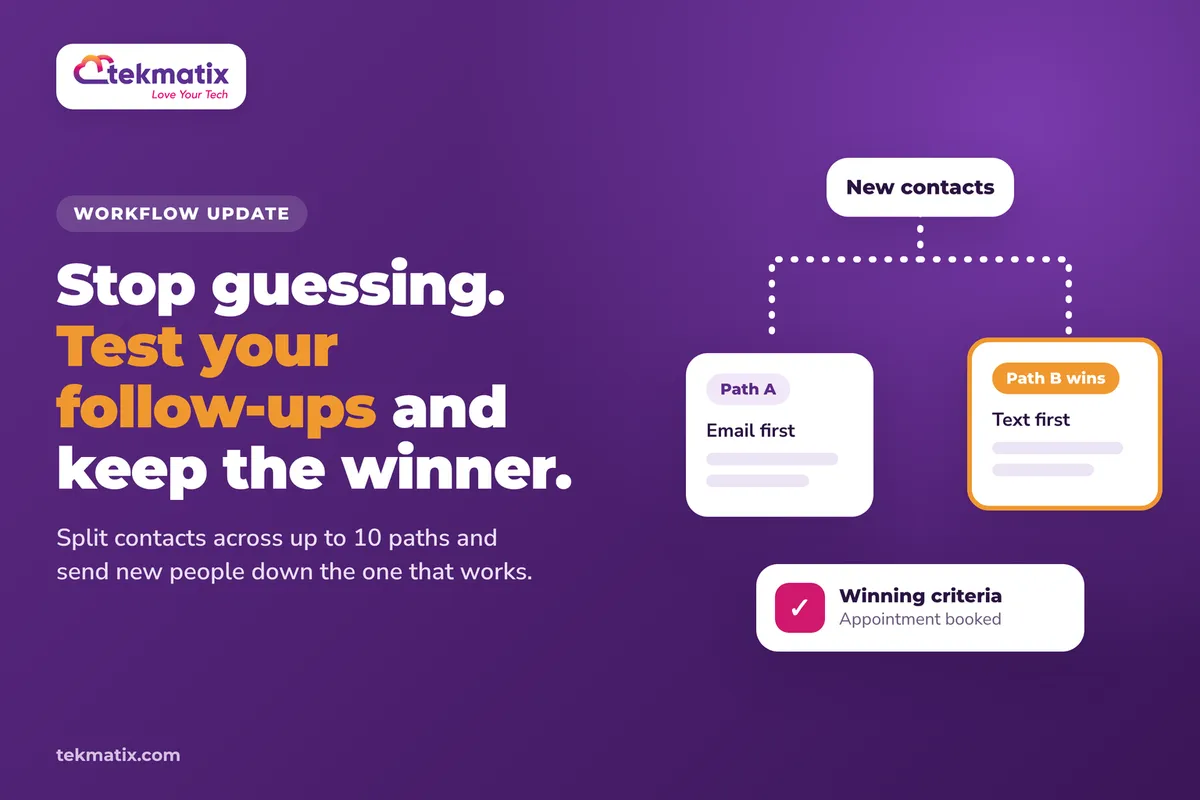
The new A/B Test action in Tekmatix workflows takes the guessing out. It splits your contacts across different paths, measures which one gets the result you care about, and can then send everyone new down the path that wins.
Go to Automation, then Workflows, open your workflow, click Add action and choose A/B Test. Add between 2 and 10 paths, build the actions you want to compare under each, pick your winning criteria (such as an appointment booked or a payment received) and set how long the test runs. When it ends, you can send new contacts to the winning path automatically.
What the A/B Test action does
The A/B Test action sits inside a workflow like any other action. When contacts reach it, they're split evenly across the paths you've built. Each path can hold different actions, so you can compare different emails, different timing, or a completely different sequence.
You tell it what counts as a win, for example a booked appointment, a click on a particular email, a tag being added, or a payment. Tekmatix then tracks how many contacts on each path reach that goal and shows you the conversion rate for each one.
- 2 to 10 paths. Compare a simple A versus B, or test up to ten versions at once.
- Even split. Contacts are divided evenly across the paths.
- You choose the goal. Email activity, appointment status, contact tag, payment received, or a custom condition based on contact or custom fields.
- You choose when it ends. After a set number of contacts enter, after a set number of goal completions, or on a chosen date and time.
- Winner routing. When the test ends, future contacts can follow the path with the highest conversion rate.
Why this matters for your business
You stop guessing what works. Instead of rewriting a sequence because it feels flat, you get real numbers on which version gets more bookings, clicks or sales.
Your automations get better while you sleep. Once a winner is picked, new contacts go down that path without you touching anything.
Small changes add up. A follow-up that books a few more calls a month, or a payment reminder that recovers a few more invoices, is money you'd otherwise leave on the table.
It's all in one place. The test lives inside the workflow you already use, with the results shown right there, so there's no extra tool to pay for or connect.
Before you start
- A workflow in your Tekmatix account that contacts already flow through, or one you're about to switch on.
- A clear goal you can measure, such as a specific calendar booking, a specific email click, a tag, or a product being paid for.
- Two or more versions of the actions you want to compare. Change one thing at a time if you can, so you know what made the difference.
- Enough contacts going through the workflow to get a fair result. A test with a handful of contacts won't tell you much.
Which Tekmatix plan do you need?
Unlimited workflows are included from the Starter plan up. The A/B Test action is a new release and is rolling out, so it may not be in every account yet. If you can't see it under Add action, check back soon or ask our team on live chat. Compare every plan at tekmatix.com/pricing, or change your plan here.
Anything your paths send, such as emails or texts, is billed at your normal usage rates. You can see current usage pricing at tekmatix.com/rebilling.
How to set up an A/B test in a workflow
- Open your workflowGo to Automation, then Workflows, and open the workflow you want to test.
- Add the A/B Test actionClick Add action at the point in the workflow where you want the split to happen, and choose A/B Test.
- Name your testGive the test a clear name, like "Booking follow-up: 3 emails vs 5 emails", so you know what you were comparing when you look back.
- Add your pathsAdd between 2 and 10 paths. Under each path, build the actions you want to compare.
- Set your winning criteriaChoose the goal type: email activity, appointment status, contact tag or payment received. Then pick the specific email, calendar, tag or product. If none of those fit, use a custom condition based on contact or custom fields.
- Set how long the test runsEnd the test after a set number of entrants, after a set number of goal completions, or at a chosen date and time. Date-based tests use your account's time zone.
- Choose what happens when it endsPick Send new contacts to the winning path if you want future contacts to follow the path with the highest conversion rate. Or pick Keep splitting and show the result if you want contacts to keep splitting evenly while the winner is marked in Statistics.
- Save and publishSave your workflow and make sure it's published so contacts start flowing into the test.
Checking results and managing your test
Open the A/B Test action and look at Statistics. For each path you'll see the number of entrants, the number of conversions and the conversion percentage.
- Declare winner. Seen enough? Click Declare winner to end the test early. The path with the highest conversion rate is selected.
- Winner badge. If you chose to send new contacts to the winning path, the canvas shows a Winner badge on that path and mutes the other paths.
- Contacts already in a path finish it. When winner routing starts, contacts already on a losing path still complete their sequence. Only new contacts go to the winner.
- Ties go to the first path. If two paths have the same result, the first path is treated as the winner.
- Reset test. Use Reset test to start a new comparison. Saving after a reset clears the previous results, and contacts who come back through may take a different path.
A/B Test is not the same as the Split action. The A/B Test action measures conversions against a goal and can route to the winner. Its goal doesn't decide which path a contact enters. Contacts are split evenly, and the goal is only used to measure results.
Test it before you trust it.
Before you send real leads through, add a couple of test contacts of your own to the workflow and check they land on different paths. Then complete the goal on one of them, for example book the calendar or add the tag, and open Statistics to check the conversion shows up against the right path.
Five ways to actually use this
- Get more consultation bookings. Test a short, direct follow-up against a longer one with a case study, and set the goal to an appointment booked in your consultation calendar.
- Find the email that gets clicked. Try two different subject lines or calls to action in your nurture sequence and set the goal to clicks on the email you care most about.
- Qualify leads faster. Compare two ways of asking the qualifying question, such as a survey link versus a reply-to-this-email prompt, and use a tag or custom field condition as the goal.
- Recover more payments. Test a gentle reminder sequence against a firmer one for unpaid invoices or abandoned carts, with payment received as the goal.
- Test the timing, not just the words. Keep the messages the same and change the wait steps. Sometimes following up the next day beats waiting three days, and now you can find out for sure.
Want it done for you?
An A/B test is only as good as the sequences you're comparing. If you'd rather have a proven sequence built for you to test against, our Teksperts can build it straight into your Tekmatix account.
Lead Magnet & Nurture System
A two-step opt-in funnel for your free resource, a delivery automation, and a professionally structured 10-step nurture email sequence, with tags and CRM set up so you can segment your contacts. That gives you a ready-made sequence to test variations against, so you're improving something that already works instead of starting from scratch.
See the Lead Magnet & Nurture SystemEmails, Newsletter & Nurture System
Your sending domain authenticated, a branded master email template, Smart Lists and tags, a 10-email welcome and nurture sequence and an RSS newsletter workflow, all handed over with a walkthrough video. You get the email foundation in place, so your tests measure your message, not your deliverability.
See the Emails, Newsletter & Nurture SystemAppointment Booking System
Three branded calendars, two-way calendar sync, payment before paid bookings are confirmed, and confirmation, reminder and follow-up workflows. If bookings are the goal you're testing for, this gives you a clean booking set-up to measure against.
See the Appointment Booking SystemSee every done-for-you package at tekmatix.com/services.
Frequently asked questions
How many paths can I test at once?
Between 2 and 10 paths in a single A/B Test action. Contacts are split evenly across them.
What can I measure as the winning goal?
Email activity, appointment status, a contact tag or a payment received, each tied to a specific email, calendar, tag or product. You can also use a custom condition based on contact or custom fields.
When does the test end?
You choose. It can end after a set number of contacts enter, after a set number of goal completions, or on a chosen date and time. You can also click Declare winner to end it early.
What happens to contacts already in a losing path?
They finish their sequence. Only new contacts are sent to the winning path.
What if two paths get the same result?
The first path is treated as the winner.
Is this the same as the Split action?
No. The A/B Test action measures conversions against a goal and can route new contacts to the winner. Its goal doesn't decide which path a contact enters.
Can I start the test again?
Yes. Use Reset test to start a new comparison. Saving after a reset clears the previous results, and returning contacts may take a different path.
Do I need to be on a particular Tekmatix plan?
Unlimited workflows are included from the Starter plan up. The A/B Test action is rolling out, so it may not be in every account yet. You can compare the plans here and change your plan here.
Does the A/B Test action cost extra?
The messages your paths send, such as emails and texts, are billed at your normal usage rates. Current usage pricing is at tekmatix.com/rebilling.
Need a hand?
Free daily group training
Jump on a free group session with a Tekspert and set up your first A/B test live.
Book free trainingHire a Tekspert for 60 minutes
Share your screen and we'll plan your test, build the paths and set the goal with you.
Book a Tekspert15 minute advanced tech support
Got one quick question, like why a conversion isn't showing in Statistics? A focused 15 minutes sorts it out.
Book 15 minutes24/7 live chat
Our team is on live chat around the clock, right inside your Tekmatix account.
Get supportYour automations are already doing the work. Now you can find out which version does it best, and let the winner take over.
Happy Tekkin'!