


Tekmatix Help Articles
Love your help
Use the search bar below to find help guides and articles for using Tekmatix
Use the search bar below to look for help articles you need.
How to Build a Funnel in Seconds on Tekmatix with AI
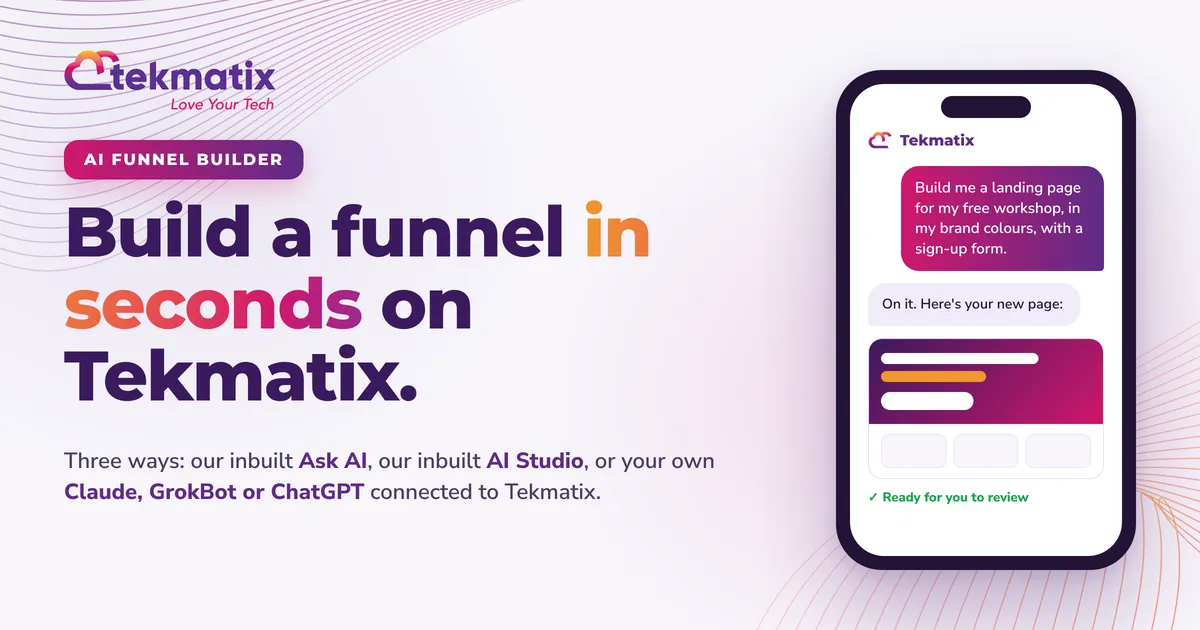
Quick answer: You can now build a landing page or funnel on Tekmatix just by describing it. Type your prompt in seconds and your first draft is usually ready in a few minutes. There are three ways to do it: use Ask AI (built into your Tekmatix account), use AI Studio (also built in), or connect your own Claude, GrokBot or ChatGPT to Tekmatix and let it build your funnels, workflows and the rest for you. You review it, tweak it and hit publish.
Run your business and your tech from your phone, without even having to learn how it works.
Ask AI is also in the Tekmatix mobile app, called LeadConnector. Just ask it what you need, the way you would ask a team member, and keep your business moving from wherever you are.
Download on the App StoreGet it on Google PlayTL;DR
- The old way: wait weeks (or months) for a developer, spend thousands, then learn a page builder anyway.
- The new way: tell AI what you want. Make a cuppa. Review your new page.
- Way 1, Ask AI: click Ask AI in your Tekmatix account and ask it to create a landing page or funnel.
- Way 2, AI Studio: click AI Studio, describe your page, and refine it by chatting.
- Way 3, your own AI: connect Claude, GrokBot or ChatGPT to Tekmatix and it can build the whole thing: pages, checkout, follow-up workflows and more.
- On your phone: Ask AI is in the LeadConnector app (App Store and Google Play), and your own AI app works from your phone too.
- Not on Tekmatix yet? Book a demo call to come and check it out. Already a customer? Join a free daily training call and we will show you how.
Remember when a funnel took three months?
Not long ago, getting a new landing page live meant briefing a developer, waiting weeks, paying thousands of dollars, and then still having to learn a page builder every time you wanted to change a headline.
That's over. On Tekmatix, you describe the page you want in plain English and AI builds it for you, in your branding, ready for you to review. What used to take months and a big invoice now takes minutes.
Here are the three ways to do it, step by step.
Ask AI creates your landing page or funnel
Ask AI is the AI assistant built into every Tekmatix account. As well as handling your contacts, emails, calendars and more, it can create a brand new funnel, landing page or website for you from a single conversation.
How to do it
- Ask AI creates the first version of your page. To change it afterwards, open it in the builder (one click from the chat).
- Creating a page doesn't publish it. You stay in control and decide when it goes live.
- If you can't see the option to create a funnel in Ask AI, your user permissions may need the funnel and website AI setting switched on. Jump on a free daily training call or chat to our team and we'll sort it with you.
- Ask AI is also in the LeadConnector app on your phone (App Store and Google Play). Building funnels with Ask AI happens in your Tekmatix account on a computer or browser for now. To build a funnel straight from your phone, use Way 3.
AI Studio builds it while you chat
AI Studio is a conversational page builder inside your Tekmatix account. You describe what you want, and it designs the layout, writes the copy and even creates the images. Then you keep chatting to it to change anything you like.
How to do it
- Every change creates a new version, so you can always go back to an earlier one.
- To send an automatic follow-up when someone fills in your form, create a workflow using the AI Studio form submitted trigger.
- AI Studio pages are published straight from AI Studio. They stay there, rather than moving into the standard funnel builder.
- AI Studio usage is included in the Tekmatix AI Employee plans, or pay as you go from your wallet.
Connect your own AI and let it build everything
If you already use Claude, ChatGPT or GrokBot, you can connect it to your Tekmatix account. Then you just tell it what you need, from your laptop or from the app on your phone, and it goes into your account and does the work.
This is where it gets a bit addictive. Your AI isn't limited to one page. It can build your whole funnel: the sales page, the checkout connected to your payments, the thank-you page, the follow-up emails, the workflows and the abandoned-cart reminders. It shows you what it's done, and you review and approve it.
How to do it
Want to see a full example? Read how to create a sales page funnel with ChatGPT in Tekmatix.
Run your business and your tech from your phone
Here's the big shift. You don't have to learn how the platform works any more. You don't need tutorials, and you don't even need to be at your desk. You tell AI what you want, from your phone, and your work gets done.
- Ask AI in the LeadConnector app: the Tekmatix mobile app. Ask it to find a contact, draft a social post, create an image, check your calendar or take action across your account, right from your pocket.
- Your own AI app: open Claude, ChatGPT or GrokBot on your phone, and once it's connected to Tekmatix, ask it to build your next funnel while you're in the car park, at the cafe or on the couch.
- You stay in charge: AI shows you what it's going to do and you approve it.
If you're a team member and can't see Ask AI in the app yet, ask your account admin to switch on Ask AI access for your login.
Search for LeadConnector in your app store, or tap below. Then log in with your usual Tekmatix email and password.
Download on the App StoreGet it on Google PlayProof: these pages were built just by talking to AI
Our founder, Sarah Cordiner, didn't drag and drop a single block on these pages. She told her AI what she wanted, and it built them inside her own Tekmatix account. She reviewed them, asked for a few tweaks, and published. Tap any page to see it live.
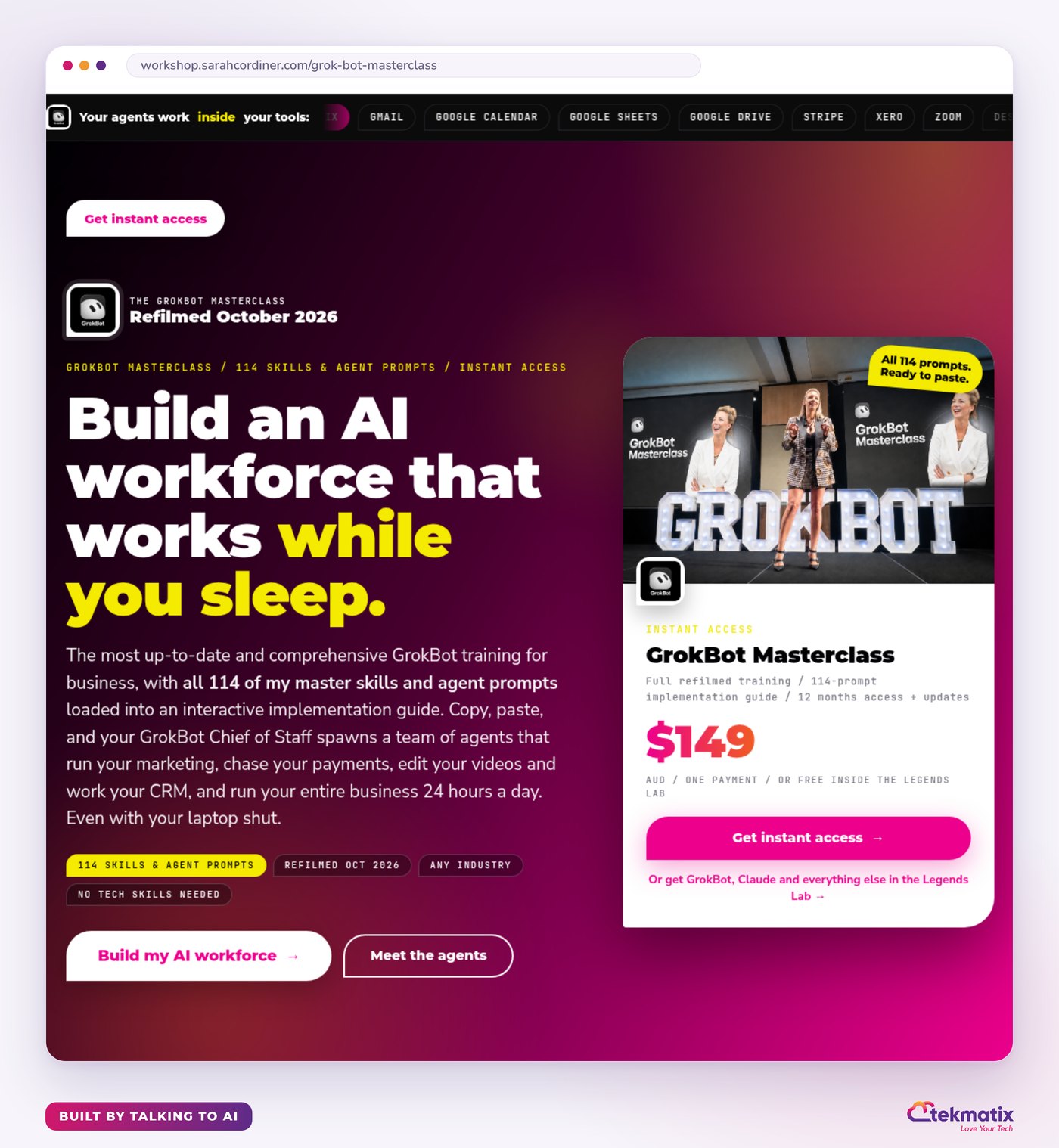

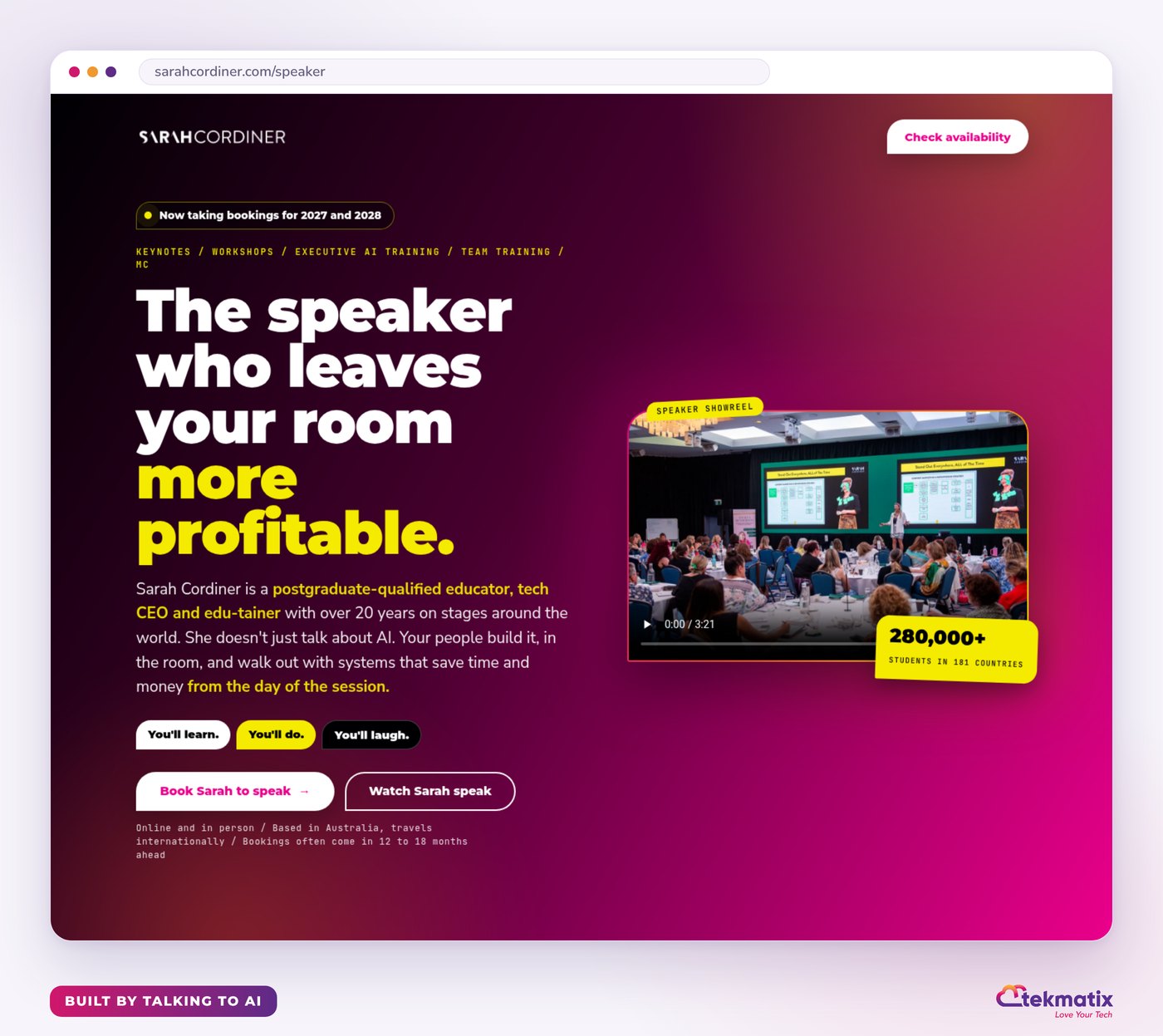
No developer. No three-month wait. No page builder tutorials.
Which way should you use?
| If you want to... | Use |
|---|---|
| Get a new landing page or funnel started from one chat, then fine-tune it in the builder | Ask AI |
| Design a striking page or website and keep refining it by chatting | AI Studio |
| Have the whole thing done for you, from pages and checkout to emails and workflows, from your phone | Your own AI (Claude, GrokBot or ChatGPT) connected to Tekmatix |
You stay in control
- Nothing goes live until you publish it.
- The better your prompt, the better your page. Tell it about your business, your audience and the one action you want people to take.
- AI usage is pay as you go (or included in your AI plan), so you only pay for what you use.
- Prefer a human to do it for you? Book a Tekspert by the hour and we'll set it up with you.
Ready to build your next funnel in seconds?
Pick the option that fits you.
Book a demo call to come and check it out. We'll show you how it works for your business.
Book your free demo callJump on one of our free daily training calls and a Tekspert will show you exactly how to do it, live. They run three times a day, every weekday.
Book a free training callGet Ask AI on your phone with the LeadConnector app.
Download on the App StoreGet it on Google PlayWarning: you may get addicted to your productivity.

Latest Blog Posts
How to Build a Funnel in Seconds on Tekmatix with AI
Quick answer: You can now build a landing page or funnel on Tekmatix just by describing it. Type your prompt in seconds and your first draft is usually ready in a few minutes. There are three ways to do it: use Ask AI (built into your Tekmatix account), use AI Studio (also built in), or connect your own Claude, GrokBot or ChatGPT to Tekmatix and let it build your funnels, workflows and the rest for you. You review it, tweak it and hit publish.
Run your business and your tech from your phone, without even having to learn how it works.
Ask AI is also in the Tekmatix mobile app, called LeadConnector. Just ask it what you need, the way you would ask a team member, and keep your business moving from wherever you are.
Download on the App StoreGet it on Google PlayTL;DR
- The old way: wait weeks (or months) for a developer, spend thousands, then learn a page builder anyway.
- The new way: tell AI what you want. Make a cuppa. Review your new page.
- Way 1, Ask AI: click Ask AI in your Tekmatix account and ask it to create a landing page or funnel.
- Way 2, AI Studio: click AI Studio, describe your page, and refine it by chatting.
- Way 3, your own AI: connect Claude, GrokBot or ChatGPT to Tekmatix and it can build the whole thing: pages, checkout, follow-up workflows and more.
- On your phone: Ask AI is in the LeadConnector app (App Store and Google Play), and your own AI app works from your phone too.
- Not on Tekmatix yet? Book a demo call to come and check it out. Already a customer? Join a free daily training call and we will show you how.
Remember when a funnel took three months?
Not long ago, getting a new landing page live meant briefing a developer, waiting weeks, paying thousands of dollars, and then still having to learn a page builder every time you wanted to change a headline.
That's over. On Tekmatix, you describe the page you want in plain English and AI builds it for you, in your branding, ready for you to review. What used to take months and a big invoice now takes minutes.
Here are the three ways to do it, step by step.
Ask AI creates your landing page or funnel
Ask AI is the AI assistant built into every Tekmatix account. As well as handling your contacts, emails, calendars and more, it can create a brand new funnel, landing page or website for you from a single conversation.
How to do it
- Ask AI creates the first version of your page. To change it afterwards, open it in the builder (one click from the chat).
- Creating a page doesn't publish it. You stay in control and decide when it goes live.
- If you can't see the option to create a funnel in Ask AI, your user permissions may need the funnel and website AI setting switched on. Jump on a free daily training call or chat to our team and we'll sort it with you.
- Ask AI is also in the LeadConnector app on your phone (App Store and Google Play). Building funnels with Ask AI happens in your Tekmatix account on a computer or browser for now. To build a funnel straight from your phone, use Way 3.
AI Studio builds it while you chat
AI Studio is a conversational page builder inside your Tekmatix account. You describe what you want, and it designs the layout, writes the copy and even creates the images. Then you keep chatting to it to change anything you like.
How to do it
- Every change creates a new version, so you can always go back to an earlier one.
- To send an automatic follow-up when someone fills in your form, create a workflow using the AI Studio form submitted trigger.
- AI Studio pages are published straight from AI Studio. They stay there, rather than moving into the standard funnel builder.
- AI Studio usage is included in the Tekmatix AI Employee plans, or pay as you go from your wallet.
Connect your own AI and let it build everything
If you already use Claude, ChatGPT or GrokBot, you can connect it to your Tekmatix account. Then you just tell it what you need, from your laptop or from the app on your phone, and it goes into your account and does the work.
This is where it gets a bit addictive. Your AI isn't limited to one page. It can build your whole funnel: the sales page, the checkout connected to your payments, the thank-you page, the follow-up emails, the workflows and the abandoned-cart reminders. It shows you what it's done, and you review and approve it.
How to do it
Want to see a full example? Read how to create a sales page funnel with ChatGPT in Tekmatix.
Run your business and your tech from your phone
Here's the big shift. You don't have to learn how the platform works any more. You don't need tutorials, and you don't even need to be at your desk. You tell AI what you want, from your phone, and your work gets done.
- Ask AI in the LeadConnector app: the Tekmatix mobile app. Ask it to find a contact, draft a social post, create an image, check your calendar or take action across your account, right from your pocket.
- Your own AI app: open Claude, ChatGPT or GrokBot on your phone, and once it's connected to Tekmatix, ask it to build your next funnel while you're in the car park, at the cafe or on the couch.
- You stay in charge: AI shows you what it's going to do and you approve it.
If you're a team member and can't see Ask AI in the app yet, ask your account admin to switch on Ask AI access for your login.
Search for LeadConnector in your app store, or tap below. Then log in with your usual Tekmatix email and password.
Download on the App StoreGet it on Google PlayProof: these pages were built just by talking to AI
Our founder, Sarah Cordiner, didn't drag and drop a single block on these pages. She told her AI what she wanted, and it built them inside her own Tekmatix account. She reviewed them, asked for a few tweaks, and published. Tap any page to see it live.
No developer. No three-month wait. No page builder tutorials.
Which way should you use?
| If you want to... | Use |
|---|---|
| Get a new landing page or funnel started from one chat, then fine-tune it in the builder | Ask AI |
| Design a striking page or website and keep refining it by chatting | AI Studio |
| Have the whole thing done for you, from pages and checkout to emails and workflows, from your phone | Your own AI (Claude, GrokBot or ChatGPT) connected to Tekmatix |
You stay in control
- Nothing goes live until you publish it.
- The better your prompt, the better your page. Tell it about your business, your audience and the one action you want people to take.
- AI usage is pay as you go (or included in your AI plan), so you only pay for what you use.
- Prefer a human to do it for you? Book a Tekspert by the hour and we'll set it up with you.
Ready to build your next funnel in seconds?
Pick the option that fits you.
Book a demo call to come and check it out. We'll show you how it works for your business.
Book your free demo callJump on one of our free daily training calls and a Tekspert will show you exactly how to do it, live. They run three times a day, every weekday.
Book a free training callGet Ask AI on your phone with the LeadConnector app.
Download on the App StoreGet it on Google PlayWarning: you may get addicted to your productivity.