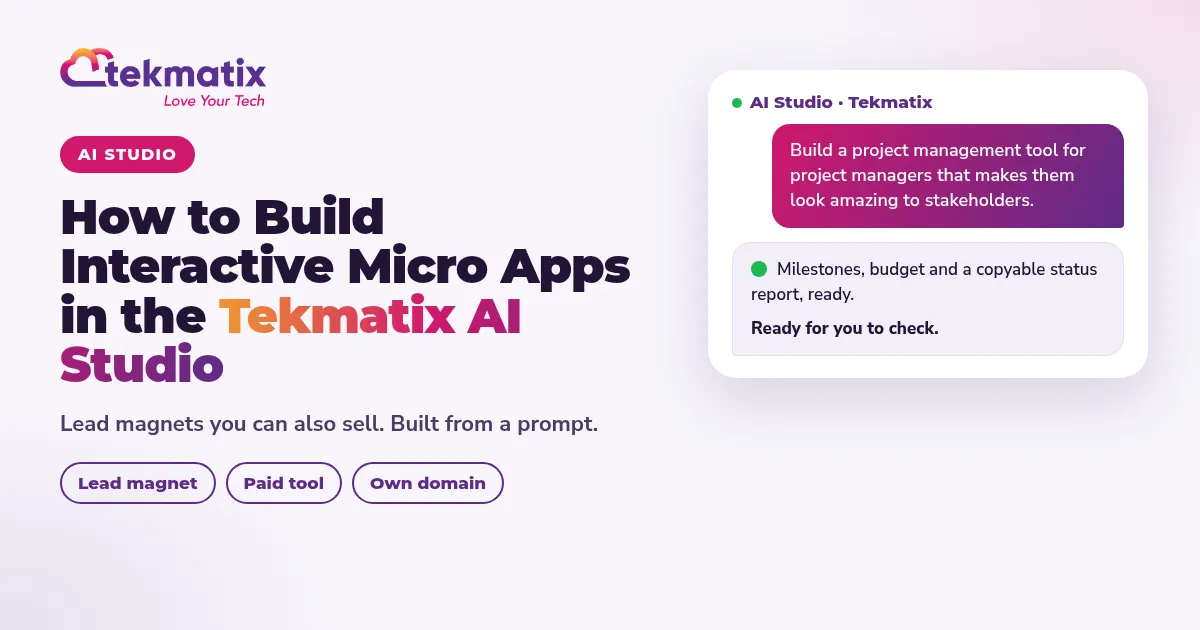
How to Build Interactive Micro Apps in the Tekmatix AI Studio
Quick answer: Open AI Studio from your Tekmatix main menu, describe the interactive tool your ideal client needs, answer a few brand and layout questions, then refine the prototype in the chat. Publish it on your own domain with an email gate for leads, or a paywall if you want to sell access. The project management demo below is ready to copy and try.
Watch: How to create an interactive tool or micro app in the Tekmatix AI Studio (8:51)
A micro app is a small interactive tool that solves one sharp problem for your audience. It can be a free lead magnet, or a paid tool with a subscription. Either way, you are giving people something useful from day one, which is when the real conversation about your consulting, training or products tends to start.
This post shows you how to invent the idea, build it in AI Studio, try the project management prototype from a real demo, then publish, gate or sell it.
Why micro apps beat another PDF
Static lead magnets get downloaded and forgotten. An interactive tool gets opened again. Your audience types in their own project, their own numbers, their own milestones, and walks away with a report they can send to their boss.
That is useful for B2B and B2C. The method is the same: find the frustration, build the smallest tool that fixes it, put it on your domain.
A real example: the project manager who is the ham in the sandwich
Someone who helps project managers succeed asked how to get in front of more of them. Project managers sit in a tough spot. People above them control the money and ask all the questions. Teams below them often drive the scope creep. They have the responsibility without the authority, and they get blamed when budgets blow out or milestones slip.
So the brief was not "build project management software". It was: make something that helps them look amazing to the people holding the purse strings, and makes life less chaotic with the team below.
Step 1: Get tool ideas from Ask AI or your own AI
Before you build, ask for ideas. Use Ask AI inside Tekmatix, or connect your own Claude, ChatGPT or GrokBot. Tell it to use everything it already knows about you. No placeholders to fill in.
Pick the idea that solves the sharpest pain and is small enough to ship this week.
Step 2: Open AI Studio and paste a build prompt
In your Tekmatix account, open the main menu and click AI Studio. This is the vibe coding studio where you build websites, funnels, apps, interactive tools and quizzes from a prompt.
Every build prompt below starts with the same instruction, so AI Studio knows exactly what you want:
- Start with: In your AI Studio inside Tekmatix, build these apps and interactive tools.
- Then describe the audience, the problem, the questions the tool should ask, and the outputs it should produce.
While it loads, AI Studio may ask about brand colours, fonts and layout. Answer those, or pick something for a quick demo and refine later. Keep chatting in the box: "Instead of this, I want that."
Step 3: Walk through the House Renovation prototype
In the live demo we filled in a sample project so you could see the tool working:
- Project: House Renovation at 23 Happy Avenue
- Client: Mr Collins (investment property)
- Start date: 26 December (demo data)
- Budget: $200,000
- Team size: 3
- Milestones: demo, basic build, finishings, sign off
- Stakeholders: ABC Builders, Plumber Man, the painter
The dashboard showed milestones (on track? planning stage?), budget lines you can add to, stakeholders, and a full status report the project manager can copy and send to the bosses or for the weekly progress update. That copyable report is the feature that makes the tool shareable inside a company.
Step 4: Publish on your domain, with an email gate or a paywall
Use the Publish button and choose your own domain. AI Studio tools have a backend database, so you can:
- Require an email before access (classic lead magnet)
- Add a paywall and monthly subscription (paid mini SaaS)
- Keep refining the tool after it is live
Once people have used the tool, the conversation about your consulting, training or products starts from a place of value already given.
Extra micro app ideas you can build next
- A workshop ROI estimator for corporate buyers
- A cashflow stress-test for business owners
- A first-90-days onboarding planner for new managers
- A course-launch sales calculator for course creators
- A vendor prep checklist for real estate clients
- A margin protector that stops e-commerce owners discounting into the red
- A client-ready status report for freelancers and agencies
If you also need the sales page, checkout and follow-up around the tool, pair AI Studio with building a sales page funnel by chatting to AI and the AI content creation workflow for the emails and posts that promote it.
How to find AI Studio again
- AI Studio builds from your prompt. The quality of the tool depends on how clearly you describe the audience, the problem and the outputs.
- AI usage, emails and texts are pay as you go.
- AI can't promise results. It does the work faster, and how well it works depends on your offer and your instructions.
- You stay in control. Review the prototype before you publish, and approve anything that creates contacts, charges cards or sends messages.
You stay in control. Your AI shows you what it will do and asks before it creates, changes, deletes or sends anything.
Frequently asked questions
What is the Tekmatix AI Studio?
AI Studio is where you build websites, funnels, apps, interactive tools and quizzes from a prompt inside your Tekmatix account. Open the main menu and click AI Studio.
Can I build a lead magnet and a paid tool the same way?
Yes. Build the interactive tool once. Put an email gate in front of it for a free lead magnet, or add a paywall and subscription if you want to sell access.
Do I need to write code?
No. Describe what you want in plain language or by voice. AI Studio asks about brand colours, fonts and layout, then builds a prototype you can refine in the chat.
Can I publish the micro app on my own domain?
Yes. Use the Publish button and choose your domain. The tool has a backend database, so email gates and subscriptions can stay connected.
How is AI Studio different from Ask AI?
Ask AI helps you run tasks across your Tekmatix account (contacts, calendars, emails and more). AI Studio builds the actual websites, funnels, apps and interactive tools. Many people use both: Ask AI or their own Claude, ChatGPT or GrokBot for ideas, then AI Studio to build.
Where do existing customers get help trying this?
Join one of the free daily training calls. A Tekspert will walk you through AI Studio live. If you are not a customer yet, book a free demo call with the team from tekmatix.com.
Ready to build your first micro app?
Already a Tekmatix customer? Jump on one of our free daily training calls and a Tekspert will walk you through AI Studio live.
Join a free daily training callNot on Tekmatix yet? Book a free chat with our team, or start your 7-day free trial from the homepage. Tekmatix is the all-in-one business platform you run by talking to AI.
Book a free demo callSarah x
Warning: you may get addicted to your productivity.
