How to Send Opportunity Reminders with Deal Details in Tekmatix Workflows
A reminder that says "You have a contract review today" is only half useful. Which contract? Whose client? What is it worth?
In Tekmatix, Custom Date Reminder workflows that run off an opportunity date can now pull that opportunity's details straight into the message. Name, value, custom fields, the lot. And you can send the internal notification to the owner of the opportunity or its followers, without adding a Find Opportunity step first.
What is new
- Opportunity details built in: choose any opportunity field, including custom fields, from the Opportunity menu in the custom value picker, for example {{opportunity.name}}.
- Notify the right people: in an Internal Notification you can pick Owner of the opportunity or Opportunity followers.
- Fewer steps to maintain: no extra Find Opportunity lookup, so the workflow is shorter and easier to fix.
- Backward compatible: existing workflows keep working as they are. Reminders based on contact date fields are unchanged.
What AI should I use?
The prompts below work in Ask AI (the AI assistant built into your Tekmatix dashboard), GrokBot, Claude, ChatGPT or any other AI you have connected to your Tekmatix account. If you don't already pay for an outside AI and don't want another subscription, start with Ask AI. Workflows are built in the workflow builder, so for the build itself use an AI you have connected to your Tekmatix account with browser control (such as GrokBot, Claude or ChatGPT), or follow the steps below yourself. Your AI shows you what it will do and you approve it before anything is saved.
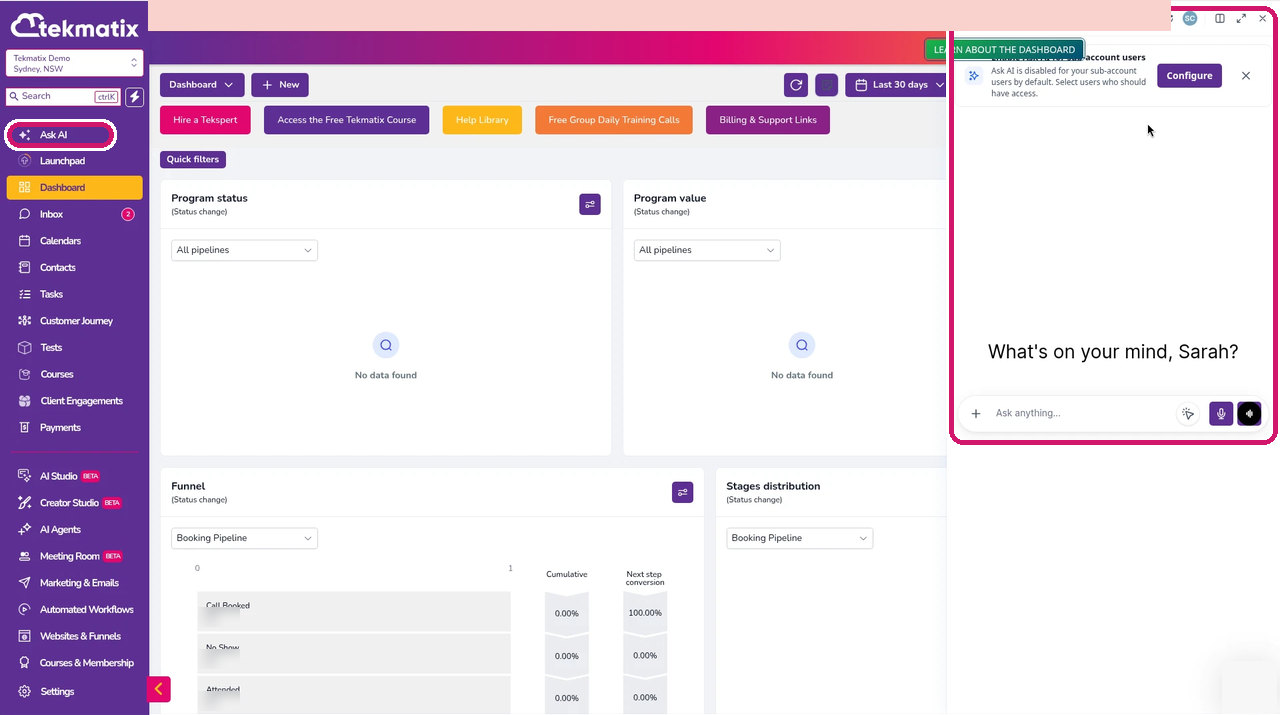
*Tekmatix AI usage applies as a billable consumable. You can find out more about pricing on our public page: tekmatix.com/pricing.
How to build an opportunity reminder with deal details
- Make sure your pipeline has an opportunity date field to remind from, for example Contract Review Date or Proposal Follow-up Date.
- Create a workflow and add the Custom Date Reminder trigger, then choose your opportunity date field and how many days before or after to fire.
- Add an Internal Notification action. Under who to notify, choose Owner of the opportunity or Opportunity followers.
- Write the message and add opportunity details from the Opportunity menu in the custom value picker, for example: "Review {{opportunity.name}} and confirm the next steps."
- Save, publish and test it on a demo opportunity. If the opportunity is called "Acme Annual Contract", the reminder reads "Review Acme Annual Contract and confirm the next steps."
- If an older workflow uses a Find Opportunity step only to get these details, you can now simplify it. Test before you remove anything.
Prompts you can copy
Prompt to copy into Ask AI, GrokBot, Claude or ChatGPT (find the deals that need reminders)
Taking everything you know about me and access to all of the data and systems you already have, log into my Tekmatix account and review my pipelines and opportunities. Tell me which stages have deals that regularly go quiet, which opportunity date fields I already have, and which reminders (for example proposal follow-up, contract review or renewal) would stop deals slipping through, with who should be notified for each.
Prompt to copy into GrokBot, Claude or ChatGPT (build it with browser control)
Taking everything you know about me and access to all of the data and systems you already have, log into my Tekmatix account and create a workflow called "Contract Review Reminder". Use the Custom Date Reminder trigger on the opportunity field [field name], firing [number] days before. Add an Internal Notification to the owner of the opportunity that says "Review {{opportunity.name}} and confirm the next steps", and include the opportunity value. Show me the workflow before you publish it and wait for my approval.
Prompt to copy into Ask AI, GrokBot, Claude or ChatGPT (weekly check)
Taking everything you know about me and access to all of the data and systems you already have, log into my Tekmatix account and list every open opportunity with a review, follow-up or renewal date in the next 7 days. Group them by owner, show the value and stage, and suggest the next step for each.
Good to know
- This applies when the Custom Date Reminder uses an opportunity date field. Reminders from contact date fields work as before.
- Existing workflows keep working. You don't have to change anything unless you want to simplify them.
- Make sure every opportunity has an owner assigned, or the owner notification has no one to go to.
Ideas for using it
- Remind the deal owner 2 days before a proposal follow-up date, with the deal name and value in the message.
- Alert followers 30 days before a contract renewal.
- Notify the project lead on a project's kick-off date with the client name and package.
- Agencies: remind account managers before each client's quarterly review.
Want a hand setting it up?
- Free live training calls, Monday to Friday: jump on one of our free daily training calls and set it up alongside a Tekmatix expert. Book a free training call
Love Your Tech.