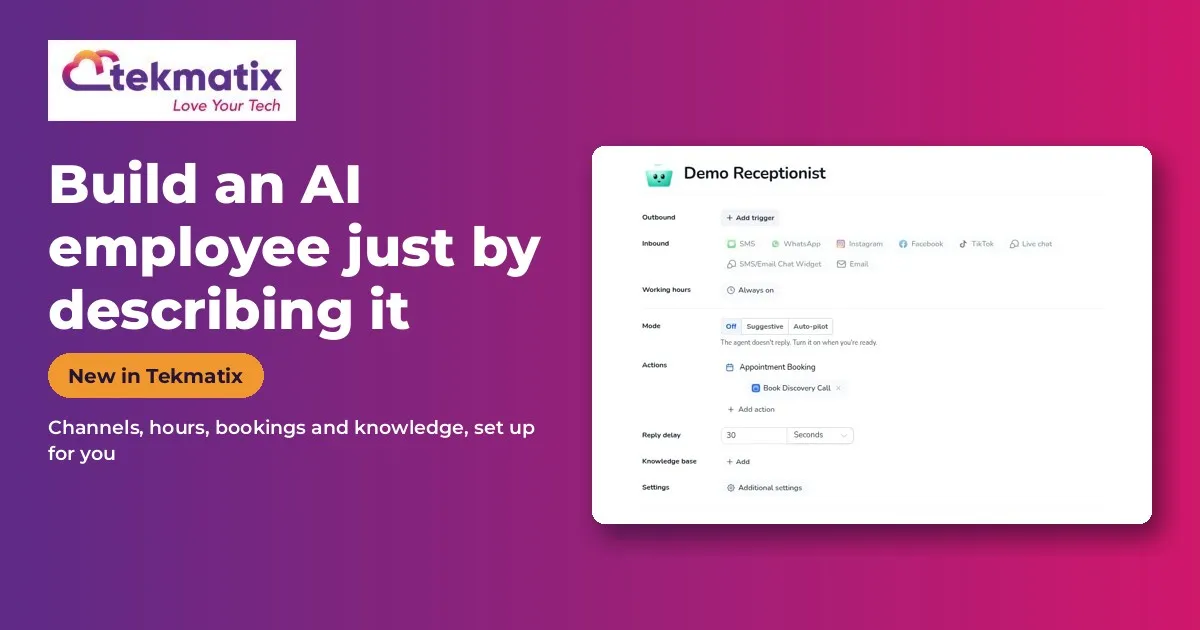
How to Build an AI Employee in Tekmatix Just by Describing It
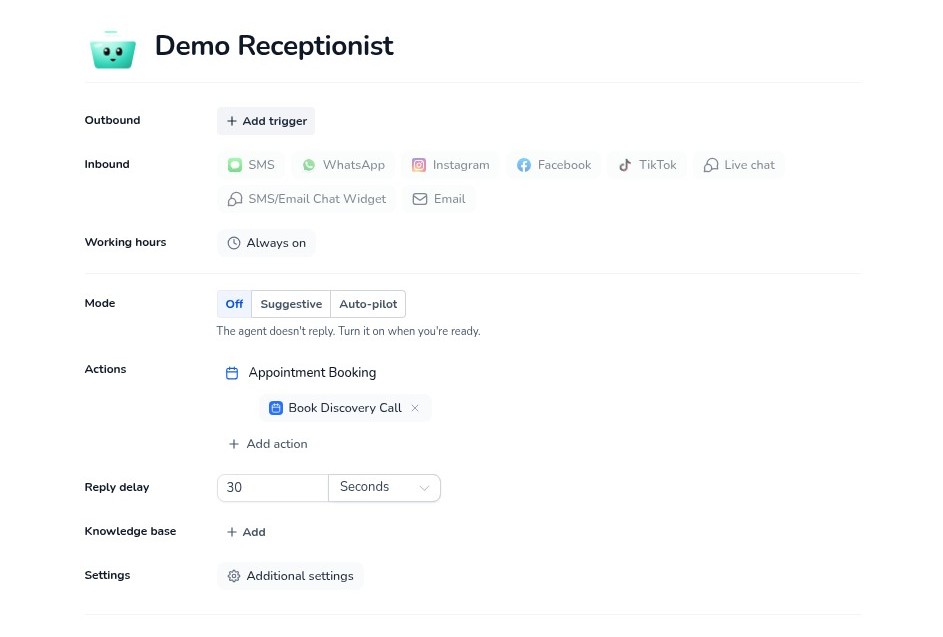
Quick answer: Build with AI sets up a Conversation AI employee for you from a plain-English description or one of 9 templates. It configures the channels, working hours, booking actions, hand-off rules, triggers and knowledge base, and you refine it by chatting. Switch it on in Settings > Labs, then go to AI Agents > Conversation AI > Create Agent > Create with AI.
What it does
Setting up an AI employee used to mean lots of settings and long instructions. Now you just describe what you want.
Start from a template if you prefer, then change anything by telling it what to change.
Why you'll love it
Made for business owners who want an AI employee without the setup headache.
An AI employee in minutes, not hours
No prompt writing skills needed
Booking, hand-off and working hours set up for you
Step 1: Switch it on
This is an early access feature. You can switch it on now in Labs, before it's automatically rolled out to every account. While you're in Labs, have a look around. There are other new features you can switch on early too.
1
Log in to your Tekmatix account.
2
Click Settings at the bottom of the left menu.
3
Click Labs.
4
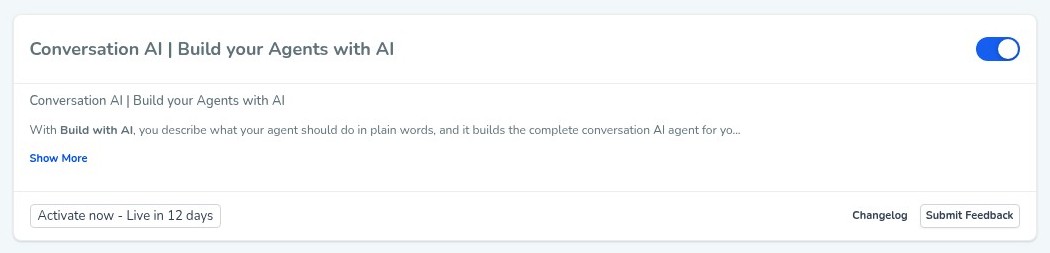
Find Conversation AI | Build your Agents with AI and switch it on.
5
Refresh the page so the new feature shows up.
You'll be asked to confirm, and it will arrive in every account soon anyway.
Step 2: Set it up, step by step
1
Go to AI Agents > Conversation AI.
2
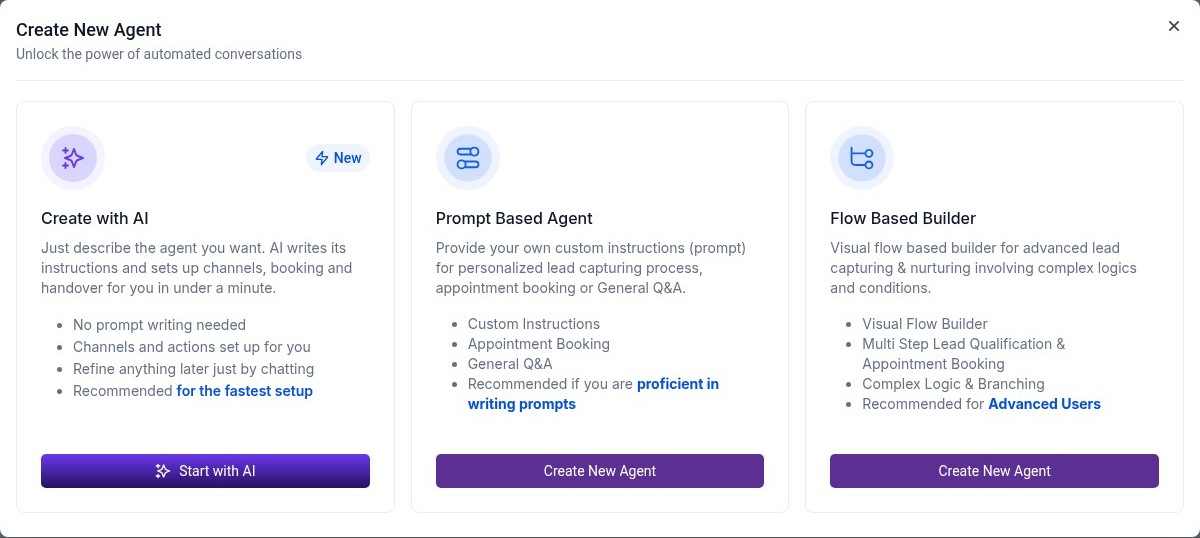
Click Create Agent, choose Create with AI, then Start with AI.
3
Describe your agent, or pick one of the templates.
4
Click Build agent.
5
Refine it by chatting, then try it out and save.
Or just tell your AI
Use Ask AI inside Tekmatix, or your own AI (Claude, ChatGPT or GrokBot) connected to your account. It shows you what it will do before it does it.
Copy and paste this prompt
"Build me a friendly enquiry assistant for my website chat, Instagram and Facebook. It answers questions about my services using my website, books people into my Discovery Calls calendar, works 24/7, and hands over to me if someone asks for a refund or is upset."
Good to know
Read through what it builds and try a few conversations before you switch it on for customers.
AI usage is pay as you go.
Because it's early access, you may see small improvements to the screens as it rolls out to every account.
You stay in control. Your AI shows you what it will do and asks before it creates, changes, deletes or sends anything.
Frequently asked questions
Do I need to write a prompt?
No. Describe what you want in plain English, or start from a template.
Can I change it afterwards?
Yes. Refine it by chatting or edit the settings.
What does it set up?
Triggers, channels, working hours, booking actions, hand-off rules and the knowledge base.
Want to see what else is new? Read all the new features in Tekmatix and how to use Meeting Rooms.
Want a hand setting it up?
Already a Tekmatix customer? Jump on one of our free daily training calls and a Tekspert will switch it on and walk you through it, live.
Not on Tekmatix yet? Tekmatix is the all-in-one business platform you run by talking to AI. One subscription, unlimited users, and real human Teksperts 24/7.
Sarah x
Warning: you may get addicted to your productivity.
