Domain vs Subdomain: What's the Difference and How to Use Both in Tekmatix
Quick answer: A domain is your main web address, like yourdomain.com. A subdomain is a named section in front of it, like courses.yourdomain.com, that can point somewhere different. In Tekmatix you can use your main domain for your website and subdomains for your course portal, funnels and branded links. Ask your AI which to use, and our Teksperts can help with the DNS records.
Domain, subdomain and sub-folder, side by side
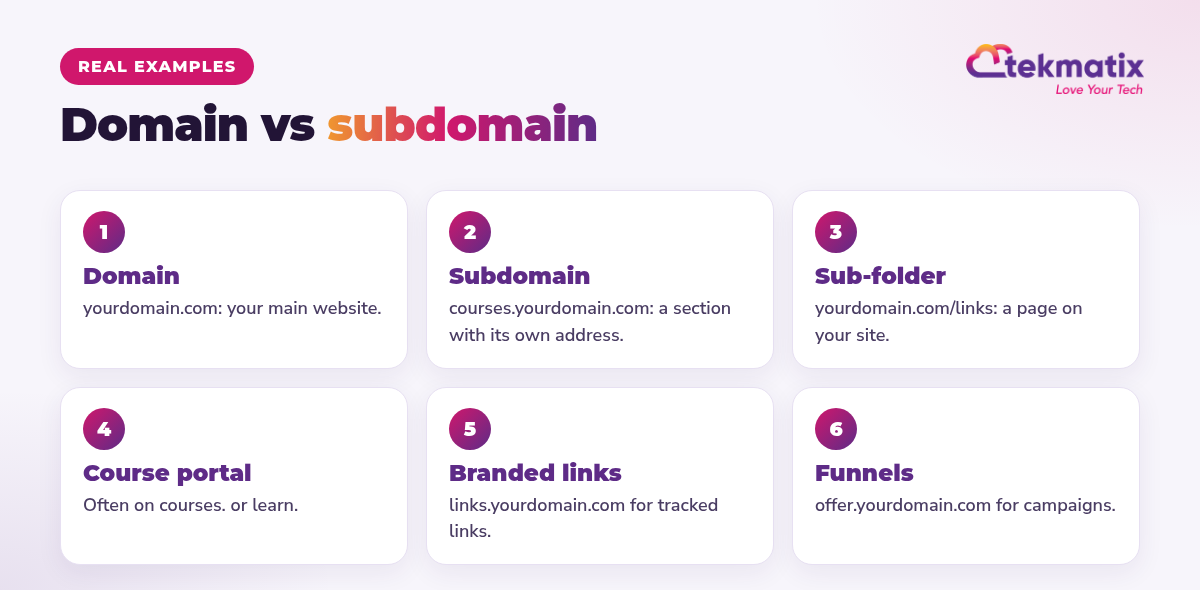
| Type | Example | Best for |
|---|---|---|
| Domain | yourdomain.com | Your main website and blog |
| Subdomain | courses.yourdomain.com | A course portal, client area or campaign |
| Sub-folder | yourdomain.com/links | A single page, such as a link page |
| Branded links | links.yourdomain.com | Tracked links in emails and texts |
Jargon buster. DNS is the address book of the internet. A CNAME or A record is one line in that address book that tells a domain or subdomain where to go.
When to use a subdomain
- Your course or membership portal: courses.yourdomain.com
- A campaign or launch page: offer.yourdomain.com
- Tracked links that show your brand: links.yourdomain.com
- Anything run on a different platform from your main website
How to set it up in Tekmatix
For branded links, go to Settings, then Business Profile, and add a branded domain such as links.yourdomain.com with a CNAME record.
Ask your AI first
- DNS changes are made at your domain provider, not inside Tekmatix. Your AI can explain them, and Teksperts can help.
- Ask AI can't build full websites yet, but it can work with funnels.
You stay in control. Your AI shows you what it will do and asks before it creates, changes, deletes or sends anything.
Frequently asked questions
What is the difference between a domain and a subdomain?
A domain is your main web address, such as yourdomain.com. A subdomain is a section in front of it with its own address, such as courses.yourdomain.com. You own the domain, so you can create as many subdomains as you need.
Is a subdomain bad for SEO?
No. Search engines may treat a subdomain a bit like a separate site, so keep your main content and blog on your main domain and use subdomains for things like a course portal or campaign pages.
What's the difference between a subdomain and a sub-folder?
A subdomain sits before the domain (courses.yourdomain.com). A sub-folder sits after it (yourdomain.com/courses).
Can I use a subdomain for my Tekmatix course portal?
Yes. Many customers use courses.yourdomain.com or learn.yourdomain.com for their course portal.
What is a branded domain in Tekmatix?
It's a subdomain such as links.yourdomain.com used for your tracked links, so links in your emails and texts show your brand. You set it up in Settings, Business Profile, with a CNAME record.
Do I need a developer to set this up?
No. You add a DNS record at your domain provider. Our Teksperts can walk you through it 24/7.
Put your whole business on your own brand
Tekmatix is the all-in-one business platform you run by talking to AI. Websites, funnels, courses and branded links on your own domain, with real human Teksperts 24/7.
See how Tekmatix worksSarah x
Warning: you may get addicted to your productivity.
